
Launching soon across the US
Now on iPhone and Android
Your clients. Your link. Book the beauty pros near you.
Built for barbers, hairstylists, nail and lash techs and more. Share one booking link, take deposits and get paid to your bank. No commission on your services. Barbers, hairstylists, nail and lash techs, makeup artists and more. Find them, book them and message them, all in one app.
Coming soon on


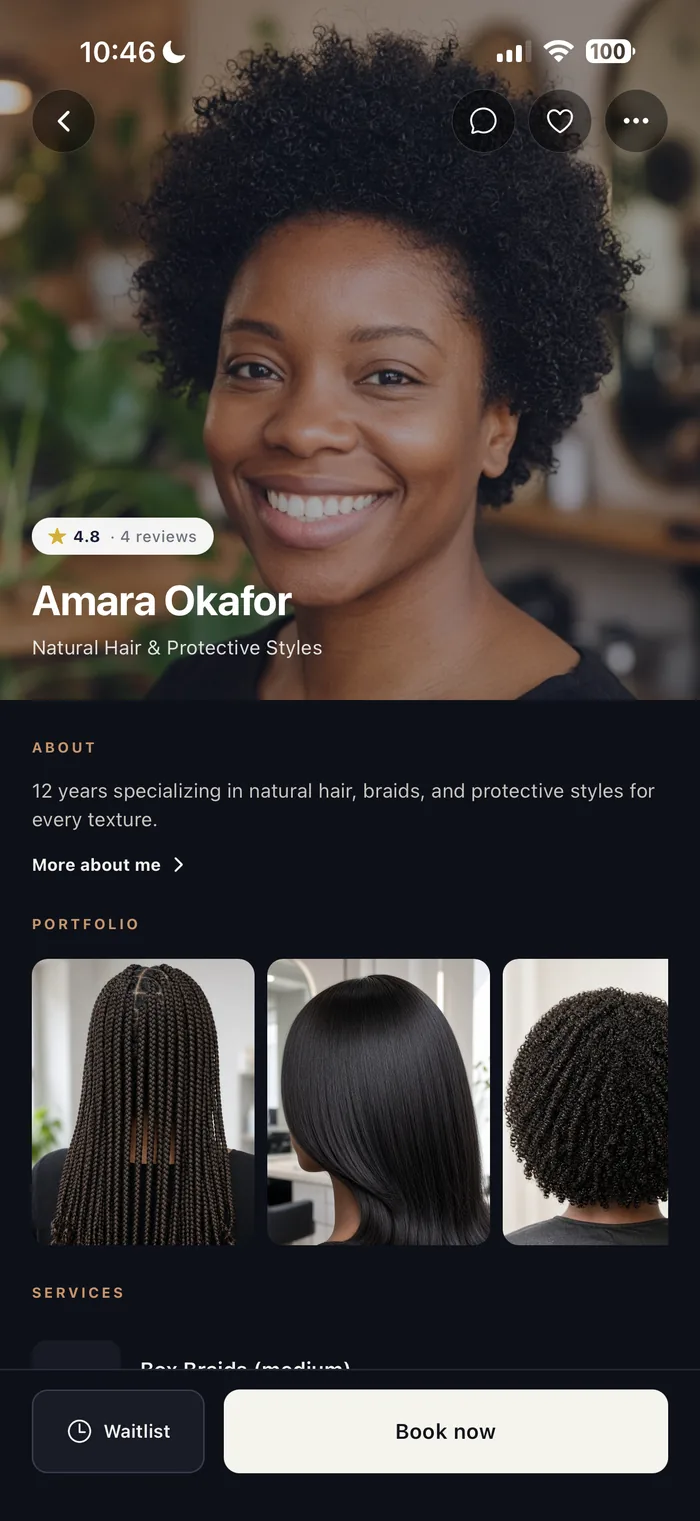
Sample profiles shown
Sample profiles shown
- Barbers
- Hairstylists
- Nail techs
- Lash techs
- Makeup artists
- Estheticians
- Massage therapists
- Tattoo artists
01For pros
Your fees stay yours.
No commission on your services. Card payments carry standard processing; cash is all yours.
Your Founding Pro Link
- A booking link with your name.
- Founding Pro badge on your profile.
- No commission on your services.
- Deposits and late-cancel policies you set.
- Payouts sent to your bank automatically.
Held for you until 60 days after launch.
Claim your link app.booknstyle.com/book/yourname
Sample profiles shown

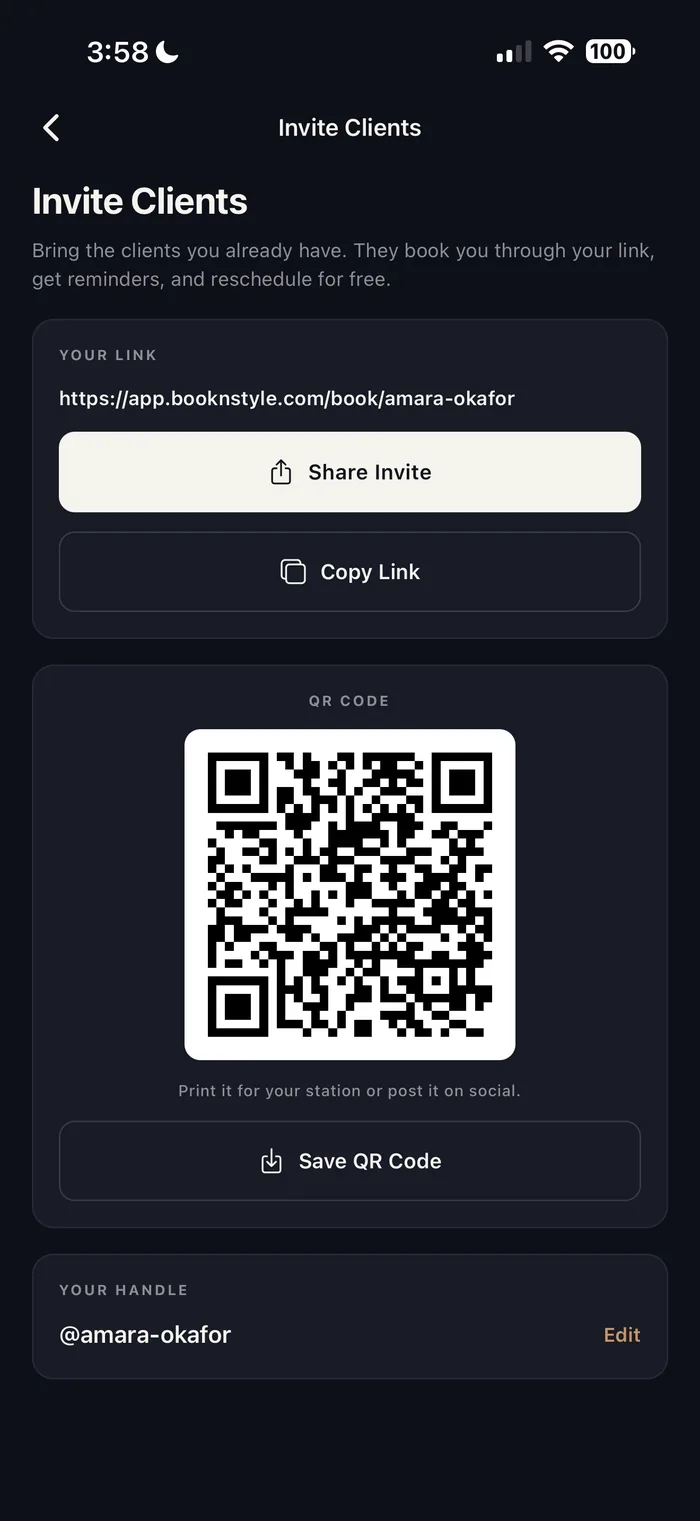
Booking link and QR code
Share your link or print your QR code. Clients book you directly through it.
Deposits, flat or percentage
Require a deposit to hold the slot, on the services you choose.
Your own policies
Set your cancellation policy and how close to the appointment clients can reschedule.
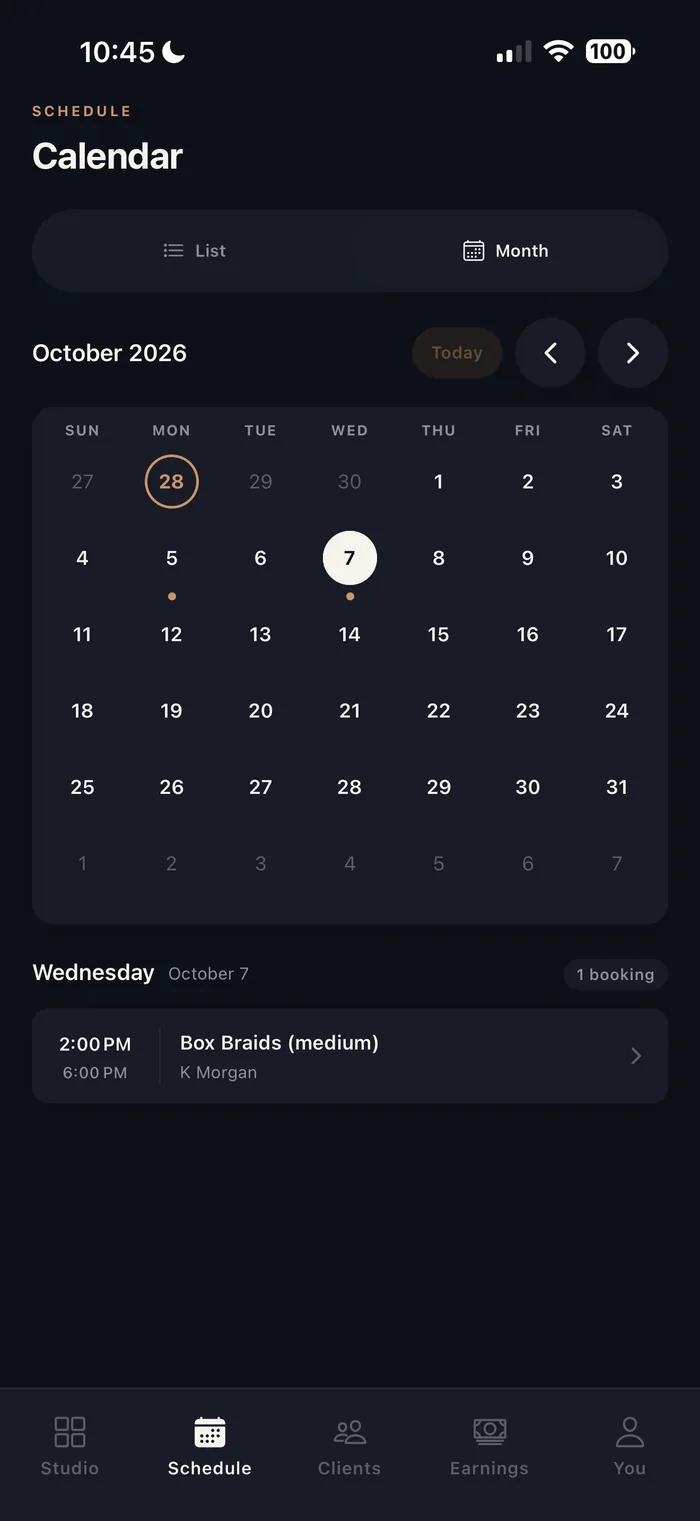
Hours and month calendar
Set weekly business hours and see your bookings in a month view.
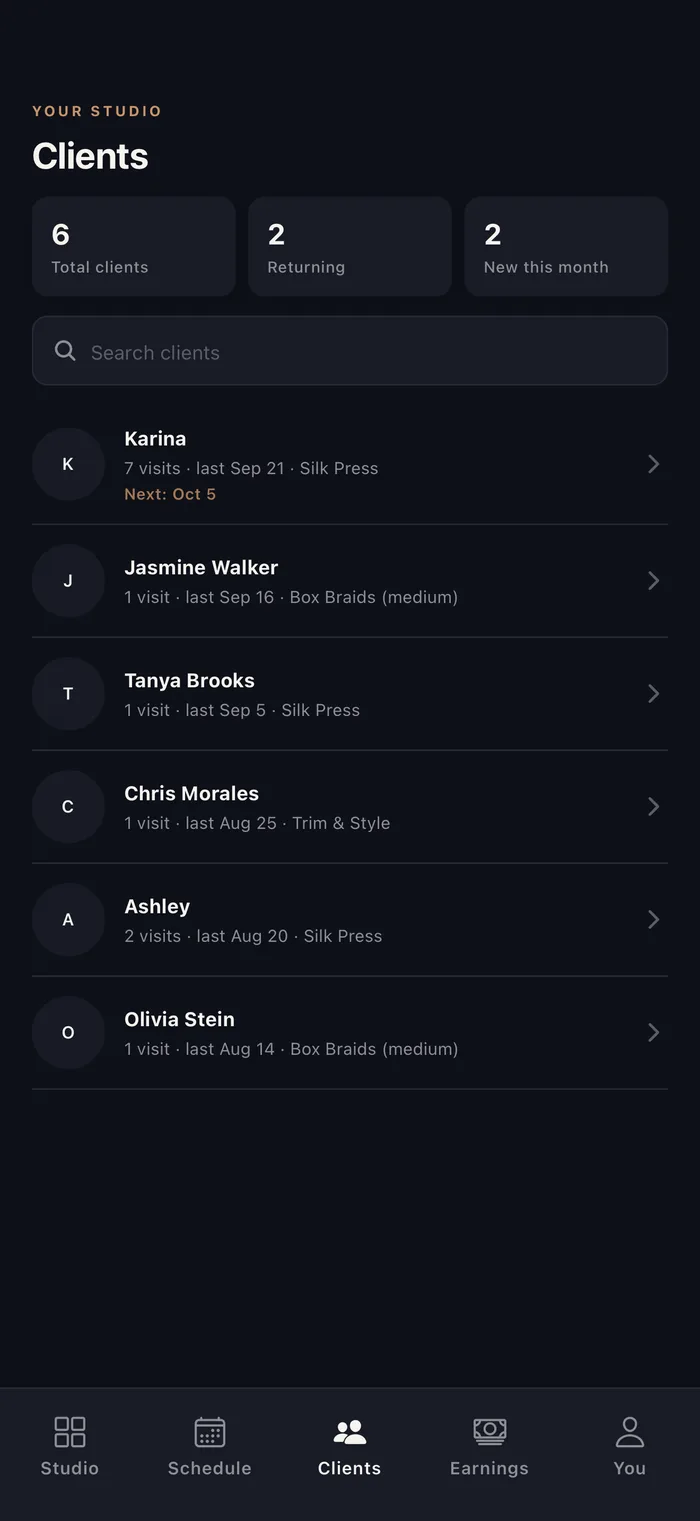
Client list
Every client in one place, with their visits and last service.
Automatic reminders
Reminders go out on their own and help reduce no-shows.
All pro tools
Custom intake forms
Ask about allergies, skin details or treatment prep before the appointment.
Portfolio and services
Show off your work next to the services you offer, all in one profile.
Waitlist
Clients can join your waitlist for popular times.
02For pros on other apps
Switching booking apps? Keep every client.
Bring your business over without giving up a cut of it. Share your link, and your clients book you the same day.

No new-client fees
A client who finds you in the app is still your client.
Tips and fees too
Nothing comes out of your deposits, tips or cancellation fees.
Help with chargebacks
We help you fight disputes with your booking records and the photos or notes you add.
Set up in minutes
Add your services and hours, then share your link.
03For clients
Your next appointment, beautifully simple.
Find the right pro, book a time that works for you, and keep everything from confirmations to messages in one place.
Amara Okafor
Perfect. Is there parking near the studio?
Street parking out front is easy before noon. See you Saturday!
Sample profiles shown

-
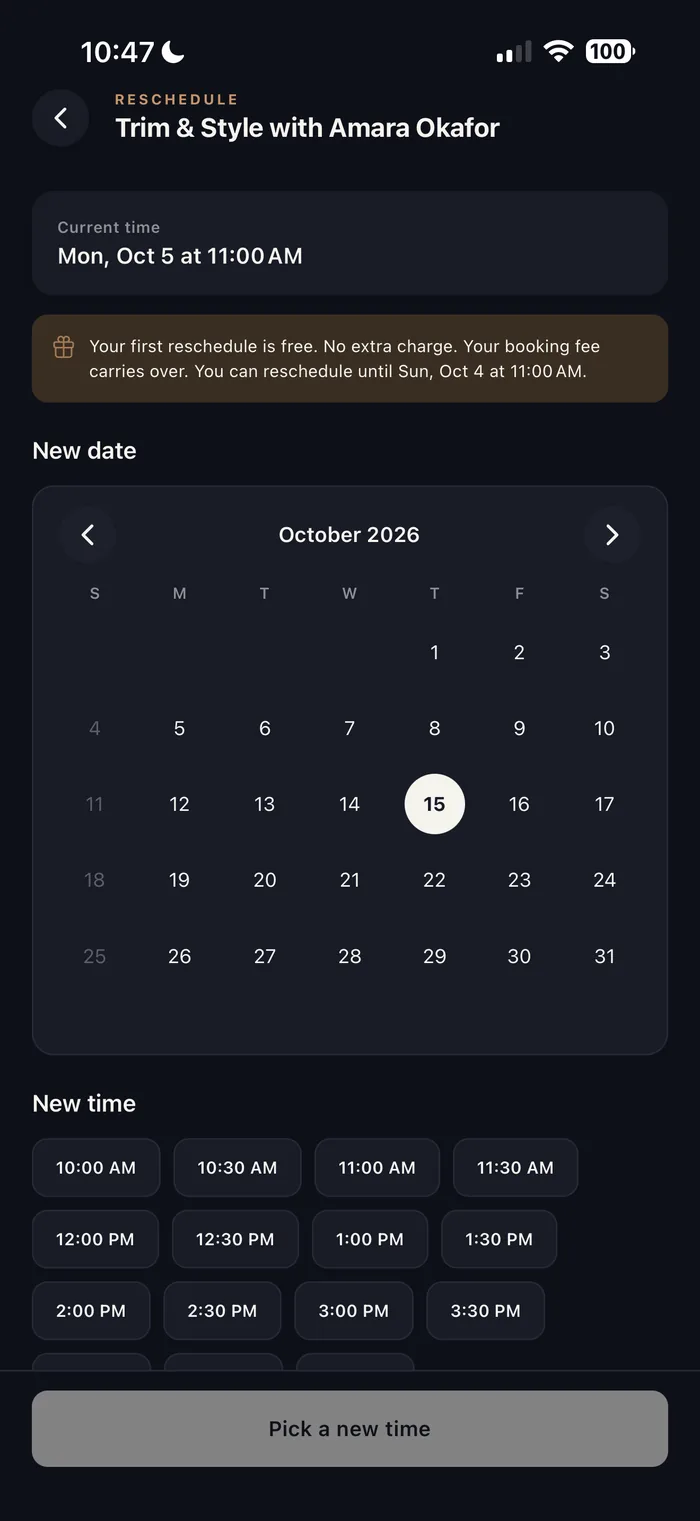
Book, reschedule or cancel
Every booking includes one free reschedule, up to your pro's cutoff.
-
Favorites and reminders
Save the pros you love. Get confirmations and reminders as notifications.
-
Pay your way
Pay by card in the app or in person, depending on the pro.
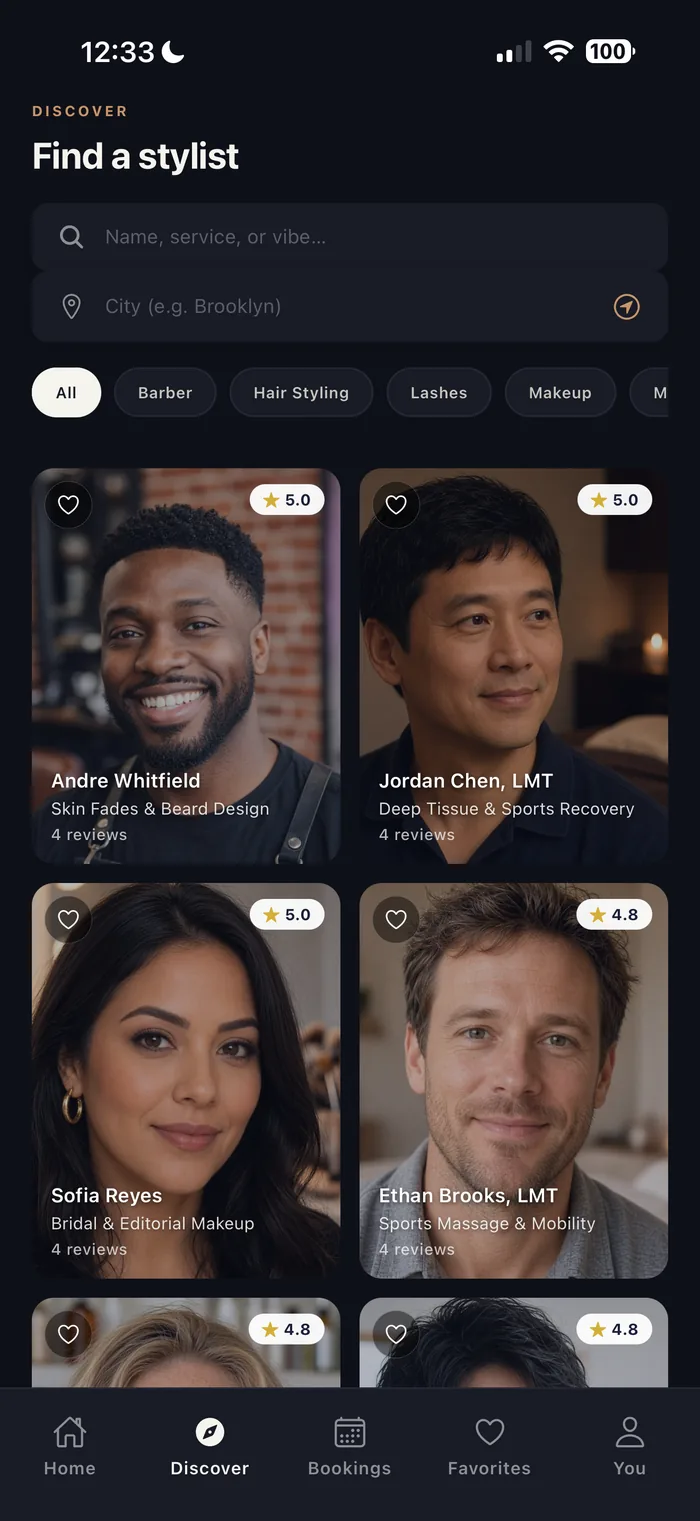
Discover pros near you
Browse by category, or search by name or city.
Portfolios and reviews
See their work, plus reviews from clients who completed an appointment.
Message your pro
Ask questions and share details right in the app.
04How it works
Simple, start to finish.
For pros
Set up your studio
Add your services, portfolio and weekly hours, then set your deposits and cancellation policy.
Share your link
Send your booking link or QR code to the clients you already have, or post it on social.
Get booked, get paid
Clients book and get reminders automatically. Card payments pay out to your bank through Stripe.
For clients
Find your pro
Browse by category or search by name or city. Look through portfolios and reviews before you choose.
Book a time
Pick a service and an open time. Pay by card in the app or in person, depending on the pro.
Show up, get styled
Get reminders, message your pro, and reschedule once for free if your plans change.
05Trust and safety
A real company, on your side.
Card payments through Stripe, report and block tools, and optional location and Face ID or fingerprint unlock.
Plain facts
BookNStyle LLC, Great Neck, New York. Real support at support@booknstyle.com.
Payments by Stripe
Card payments are processed by Stripe, so your card details never touch our servers.
Report and block
Report or block anyone, right from a chat or a profile.
Adults 18 and older
BookNStyle is for adults 18 and older. Every account confirms this at sign-up.
Privacy-first location
Location is optional: use it to see pros near you, or search by city. Face ID or fingerprint unlock is optional too.
06FAQ
Questions, answered.
Still wondering about something? Email support@booknstyle.com or visit our support page.
How do I book an appointment?
Download BookNStyle, find a pro by category, name or city, then choose a service and an open time. You'll get a confirmation and reminders in the app.
Is BookNStyle free to download?
Yes. BookNStyle is free to download, and you'll see every fee before you pay.
Can I reschedule or cancel?
Yes. Every booking includes one free reschedule, up to your pro's reschedule cutoff. You can also cancel from the app; each pro sets their own cancellation policy.
How do pros get paid?
Card payments pay out automatically to the pro's bank account through Stripe. Cash payments are made in person and are 100% theirs. BookNStyle takes no commission on their services.
I'm a pro. How do my clients find me?
Clients can discover you by category, name or city. You can also share your personal booking link or QR code with the clients you already have, so they can book you directly.
Is BookNStyle in my state?
BookNStyle is launching soon across the US. Join the waitlist and we'll email you the day BookNStyle opens where you are.
Who can use BookNStyle?
BookNStyle is for adults 18 and older in the United States.
How do I contact support?
Email support@booknstyle.com or visit legal.booknstyle.com/support. To delete your account and data, see Delete account.
Coming soon to the App Store and Google Play. Get BookNStyle on the App Store and Google Play.
BookNStyle is almost here. Join the waitlist for launch news, or follow along on Instagram. Free to download on iPhone and Android.